
Coming soon: Citation Management
The Citation Management feature in meddevo allows you to conveniently manage both internal meddevo documents and scientific literature—such as for clinical evaluation—directly as inline content within your writing. Furthermore, you can automatically create bibliographies and reference lists with just a few clicks.
Feature Overview
Citation Management distinguishes between two main blocks:
- Bibliography: Collection of all cited scientific literature.
- Referenced Documents: List of all internally referenced meddevo documents.
Requirements for External Literature (Zotero)
To cite external scientific literature (e.g., publications, studies, papers), you need:
- A Zotero account: https://www.zotero.org/
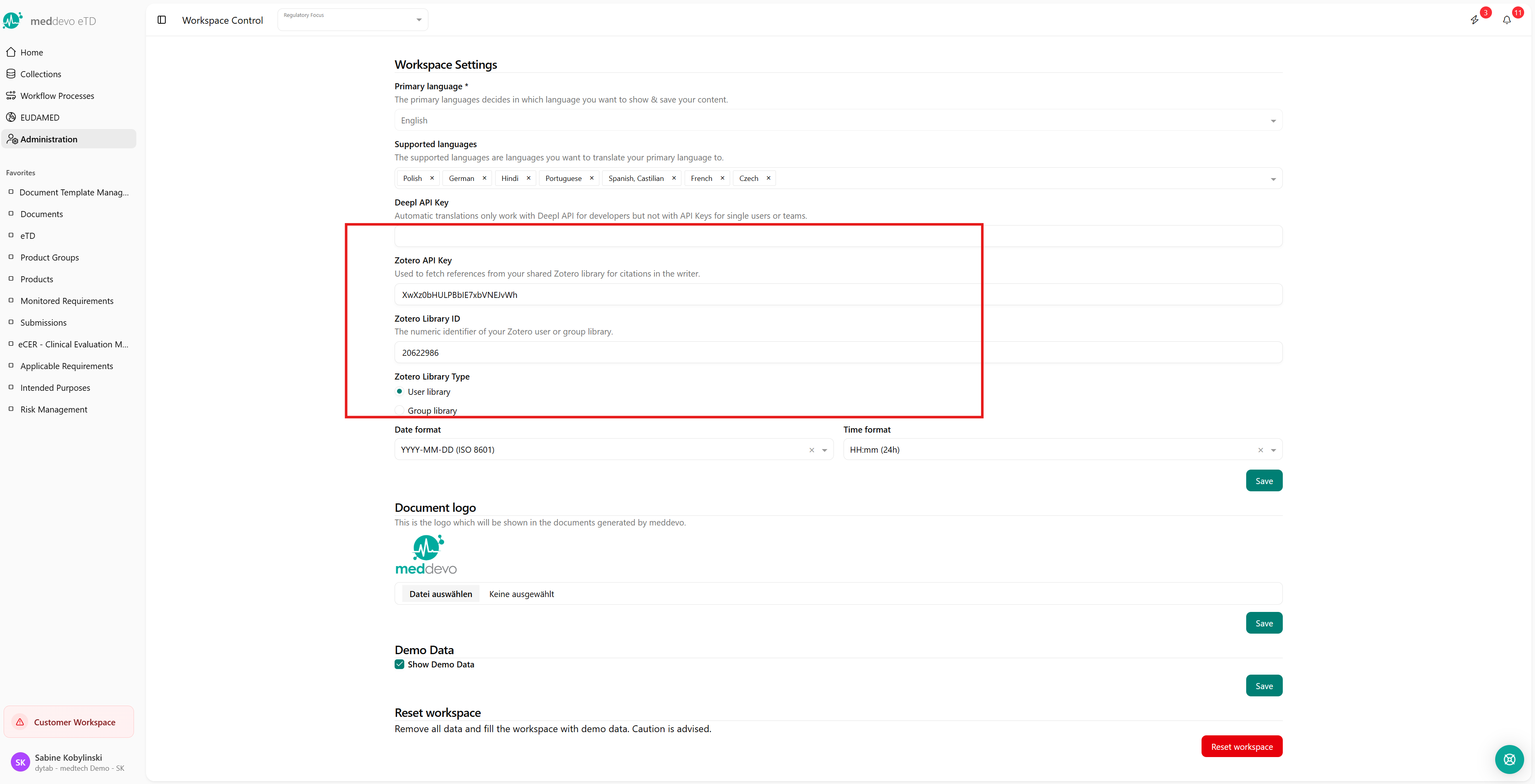
- A Zotero API Key
- Your Zotero User ID (assigned when you create your Zotero account)
Note: Zotero is an open-source reference management tool and provides a convenient interface for integration with meddevo.
Connecting Zotero with meddevo
- Go to Workspace Control (Workspace Settings).
- Enter your Zotero API Key and your User ID.
- After successful connection, the citation functionality becomes available in the Writer.
Using Citation Management in the Writer
Inserting and Managing Literature References
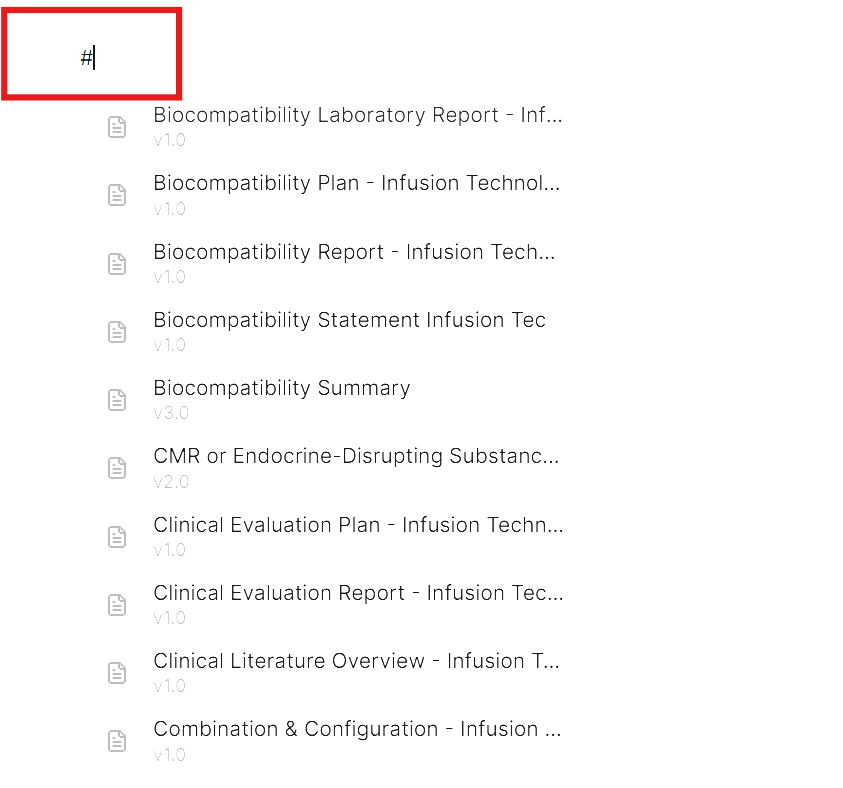
- Type # anywhere in the text to open your list of literature and document references, then select the desired entry.
- Once selected, the source or document will be inserted as an inline citation.
Creating Bibliography and Referenced Document Blocks
- To insert the Bibliography or Referenced Documents block at the end of your document, use either:
- The / (slash) command, or
- The “+” symbol in the Writer menu
- For each referenced internal meddevo document, the “Referenced Documents” block is displayed automatically.

Citation Style
- Currently, only the Harvard citation style is supported and cannot be changed.
Last updated: 7/21/26, 6:21 AM