
Date/Time Format
It is possible to set the date and time format for the entire workspace as an administrator in the Administration.
Change the time and date format:
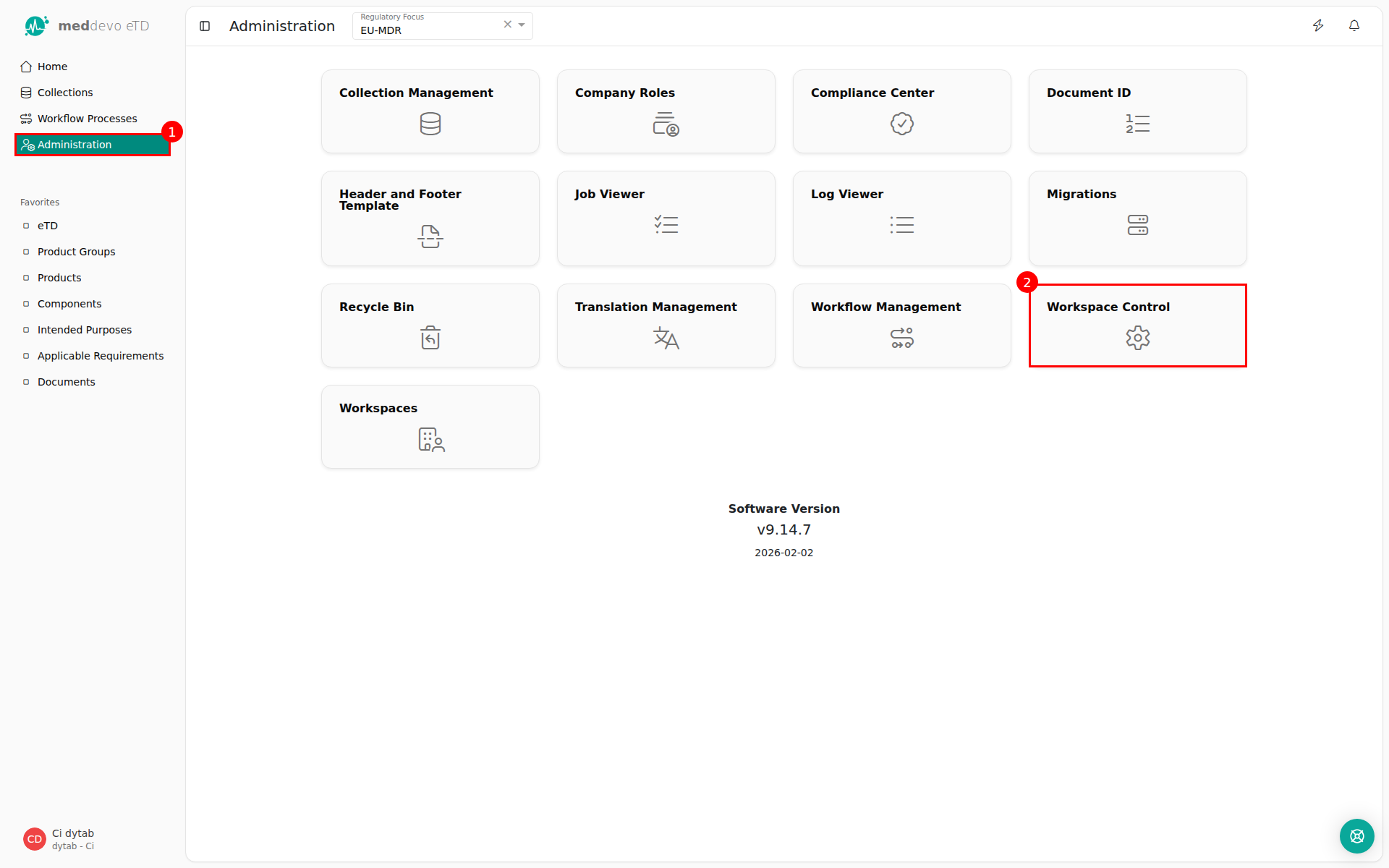
1. Navigate to Administration (administration permission required). (1)
2. Click on "Workspace Control". (2)
3. Select the desired time and date format. (3)
4. Click on "Save". (4) 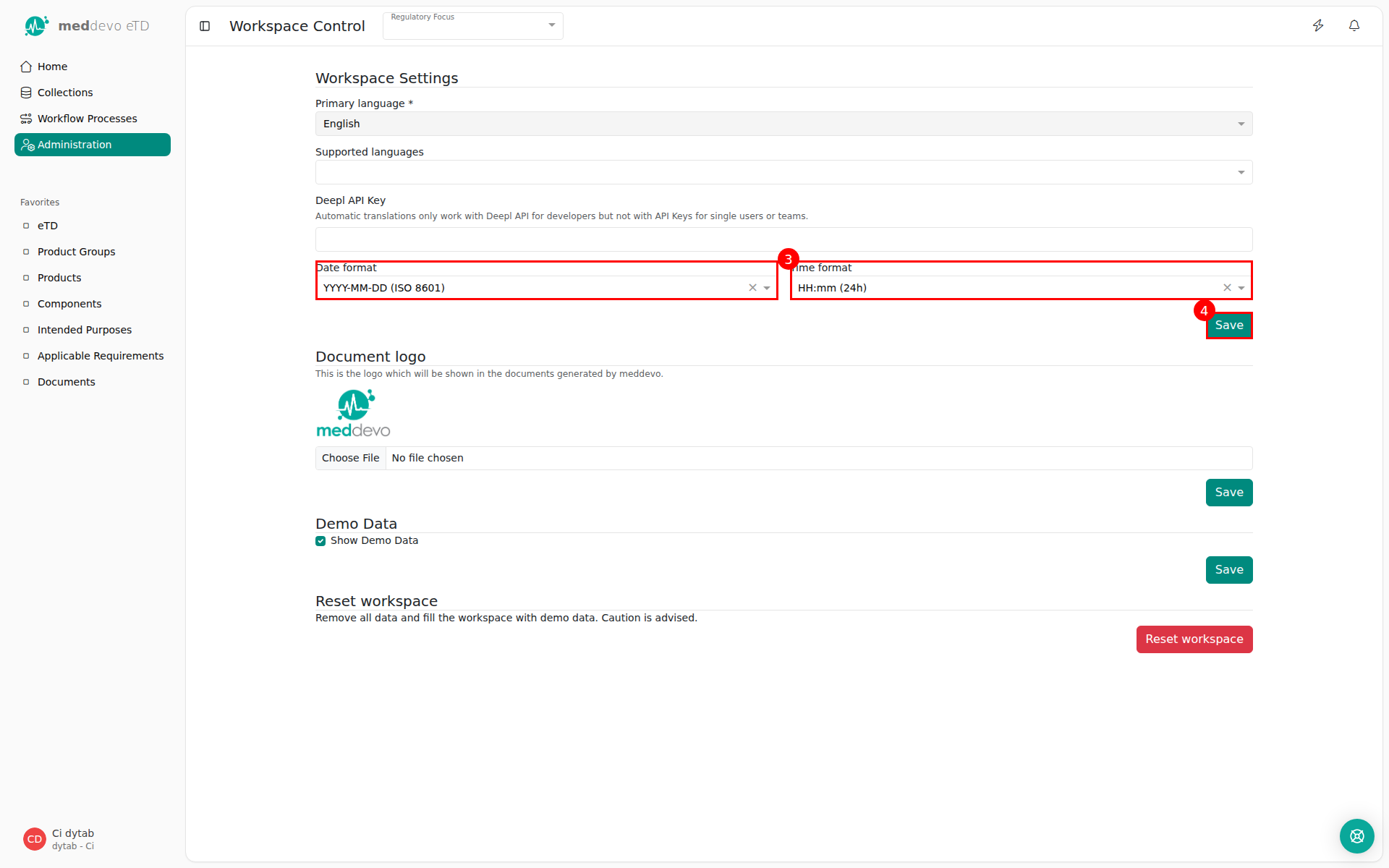
Last updated: 3/30/26, 11:50 AM