
Submission Download
- Navigate to the collection "Submission".
- Select the Submission you want to download.
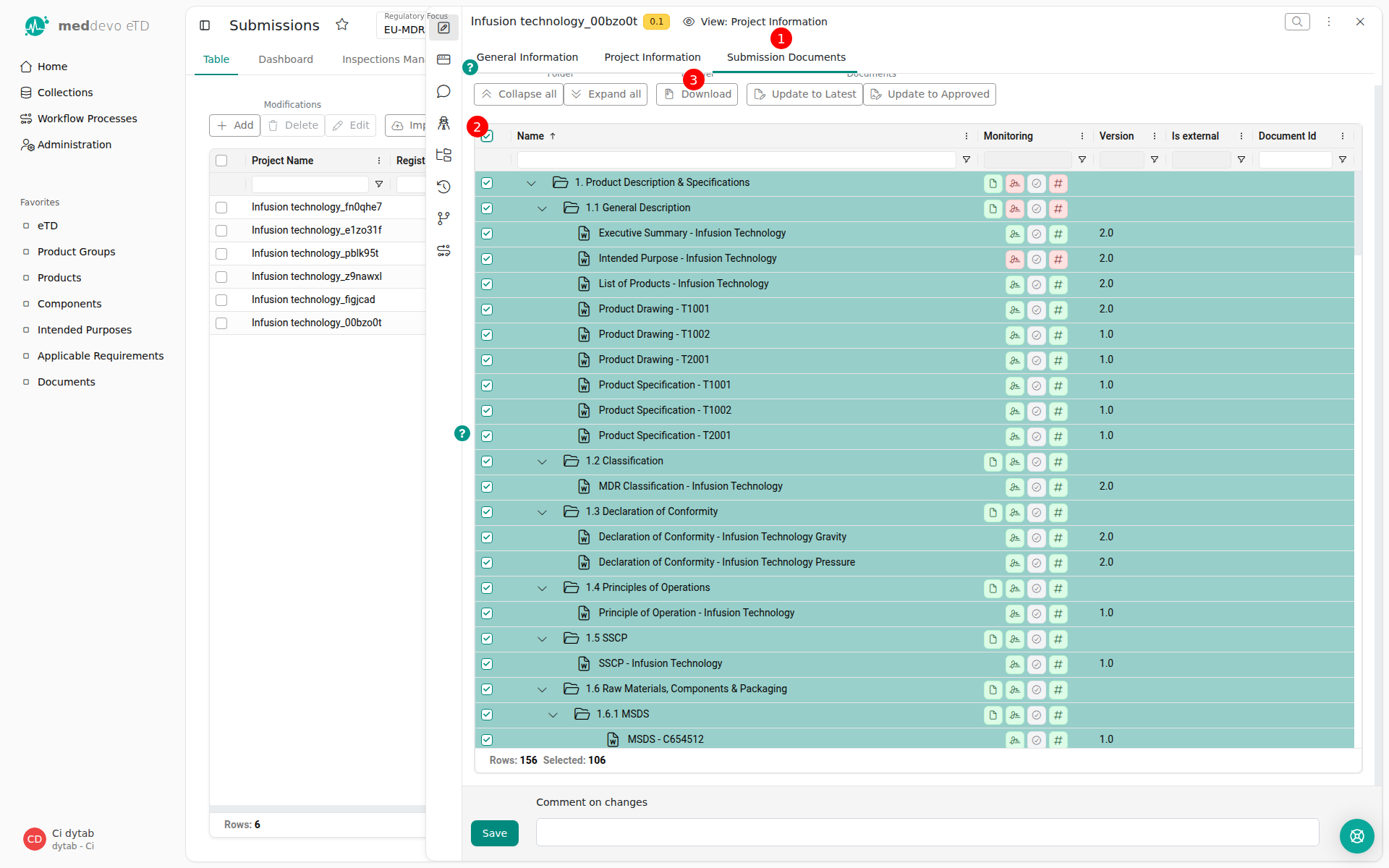
- Click on the tab "Submission Documents" (1).
- Select all Folders and Documents you want to download (2).
- Click on "Download" (3).
Last updated: 3/30/26, 12:12 PM